Table of Contents
- Start with the direct answer: what determines book spine width
- Gather page count, paper caliper, binding method, and cover construction
- Why the printer's stock and binding data override a generic estimate
- Use a book spine width formula and input table
- Estimating a paperback or perfect-bound spine
- Adjusting the approach for hardcover and sewn books
- Build the complete cover spread around the spine
- Add trim, bleed, hinge, and safe-area requirements
- Approve a proof and inspect spine alignment before mass production
- Use Lemon Printing's custom book printing review for production confirmation
- Quote-ready file and specification checklist
- FAQ: Calculating book spine width
Book spine width depends mainly on the finished page count, paper caliper, binding method, and cover construction. This guide explains the perfect-binding formula, why hardcover books need a printer template, and how to prepare a complete cover spread for proofing.
Start with the direct answer: what determines book spine width
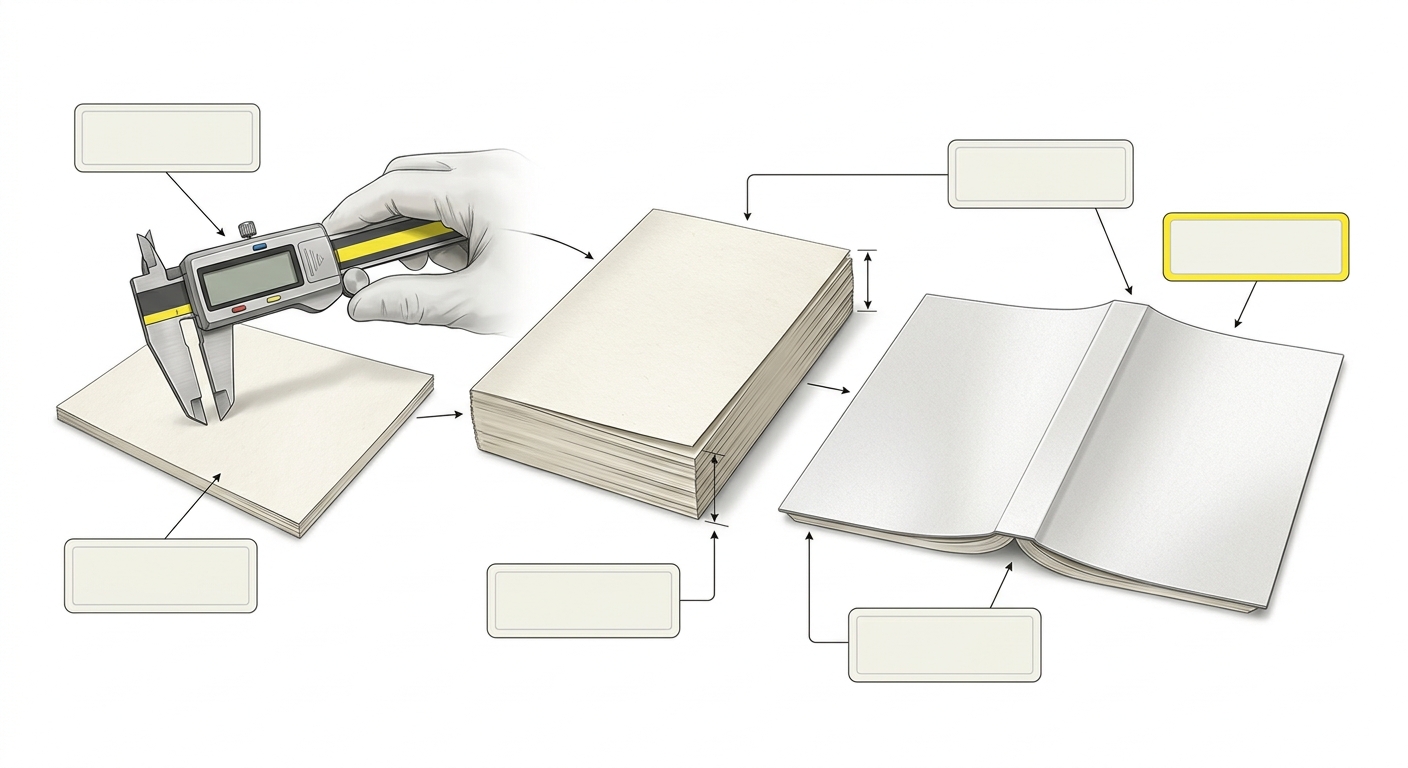
To calculate book spine width, divide the final interior page count by two to find the number of sheets, then multiply by the caliper of one sheet of text paper. For a perfect-bound book, add only the adhesive or construction allowance confirmed by the printer. Hardcover and sewn books require additional case and binding data.
The main inputs are:
- Final interior page count, including blank pages.
- Paper caliper, meaning the thickness of one sheet.
- Binding method, such as perfect binding, sewn binding, or case binding.
- Cover construction, including softcover, hardcover, or dust jacket.
Use this calculation for planning, but use the printer’s approved spine measurement for the final custom book printing specifications.
Gather page count, paper caliper, binding method, and cover construction
The minimum input set is a final pagination count, the named text stock, its caliper, the binding style, and the finished trim size. Do not calculate from an early manuscript page count if the layout, paper, or signature plan may still change.
- Confirm page count: Count interior pages as printed sides. A sheet printed on both sides contains two pages. Covers are normally specified separately.
- Identify the paper: Record the supplier or printer’s stock name, finish, basis weight, and caliper if available. GSM describes weight, not thickness.
- Confirm binding: Perfect binding, sewn binding, and case binding produce different finished thicknesses.
- Record construction: Note whether the cover is a softcover, hardcover, or dust jacket and whether endpapers, boards, or flaps are included.
If the paper choice is still open, Lemon Printing’s coated versus uncoated paper guide helps separate surface, weight, opacity, and bulk considerations.
Why the printer's stock and binding data override a generic estimate
A generic book spine width calculator is useful for an early layout, but it should not replace the printer’s confirmed measurement. The same nominal paper weight can have different calipers between mills, finishes, and product lines.
Production also changes the result. Perfect binding compresses and glues the page block. Sewn books are assembled from folded signatures, thread, and sometimes additional lining. Hardcover cases add boards, hinge clearances, endpapers, spine lining, and cover material. These factors are not reliably represented by a single universal formula.
Ask the printer for the caliper they will use, the calculation method or finished spine value, and the correct book cover template. If the printer supplies a template with a stated spine panel, that production value takes priority over a web calculator or a measurement based on a different stock.
Use a book spine width formula and input table
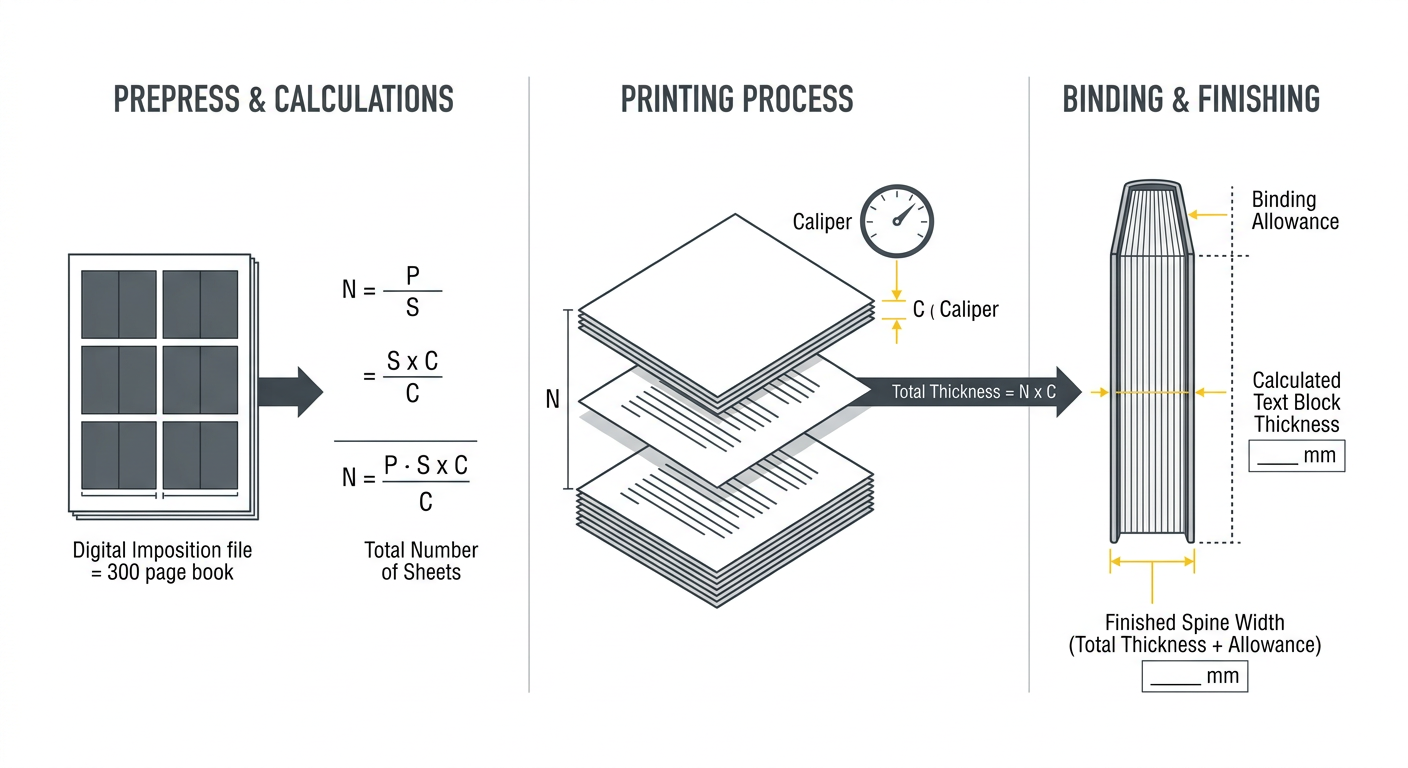
For a preliminary perfect-bound estimate, use consistent units and define caliper as the thickness of one paper sheet. The basic text-block formula is Stext = (P ÷ 2 × C), where P is the interior page count and C is the paper caliper.
The cover spine used in production may be expressed as Scover = Stext + A, where A is an allowance supplied by the printer for adhesive, compression, or binding construction. Do not invent A when releasing a file.
| Input | Example value | How it is used |
|---|---|---|
| Interior pages | 240 pages | 240 ÷ 2 = 120 sheets |
| Paper caliper | 0.095 mm | 120 × 0.095 = 11.4 mm paper stack |
| Printer allowance | 0.6 mm, if confirmed | 11.4 + 0.6 = 12.0 mm estimated cover spine |
The allowance in this example is hypothetical and is not a universal standard. If the printer provides a direct spine width, use that value instead.
Estimating a paperback or perfect-bound spine
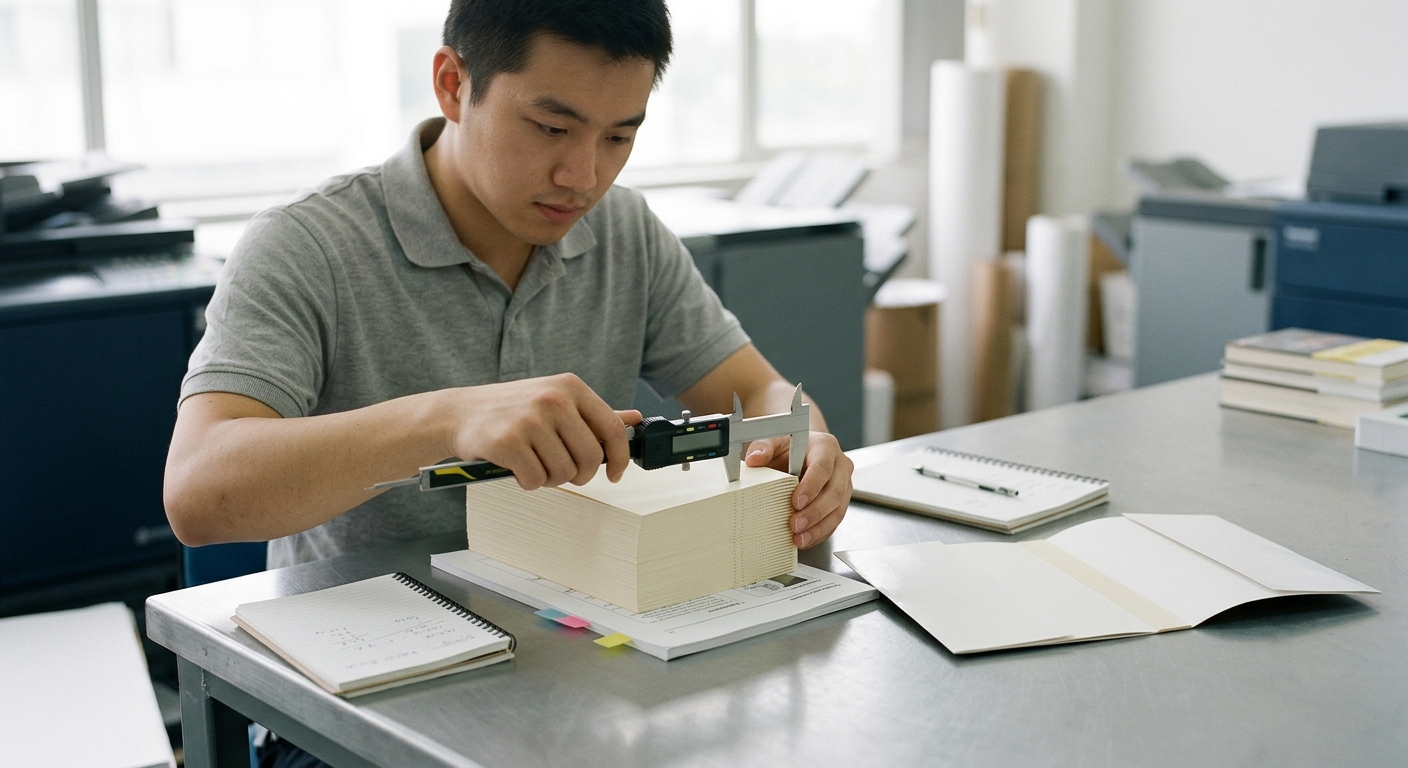
The perfect binding spine width is normally based on the compressed text block plus the binding allowance in the printer’s specification. The front and back cover are part of the flat cover spread, but their cover stock should not be added to the text-block calculation unless the printer’s method specifically requires it.
For example, if a revised interior changes from 240 to 256 pages, the number of sheets increases from 120 to 128 before any allowance is applied. Recalculate after pagination is locked. A small change can affect spine text centering, barcode position, and the total cover width.
Do not use this method for every binding style. A saddle-stitched booklet normally has no separate spine panel, while a lay-flat, sewn, or special adhesive construction may use different production measurements.
Adjusting the approach for hardcover and sewn books
Hardcover spine width cannot be approved safely by copying a perfect-bound formula. First estimate the finished text block, then obtain the printer’s case dimensions for the spine panel, boards, hinge gaps, endpapers, lining, and cover material.
For a casebound book, board thickness affects the case construction and hinge clearances; it is not simply an amount to add to the text-block spine. Rounded spines, hollow backs, printed paper cases, cloth, and dust jackets can each require different templates. A dust jacket should be laid out from the confirmed case dimensions rather than from an independent paperback estimate.
Sewn books also need construction data because folded signatures, thread, sewing compression, and spine reinforcement affect the finished thickness. Request a production template or a measured value after the binding method and materials are confirmed.
Build the complete cover spread around the spine
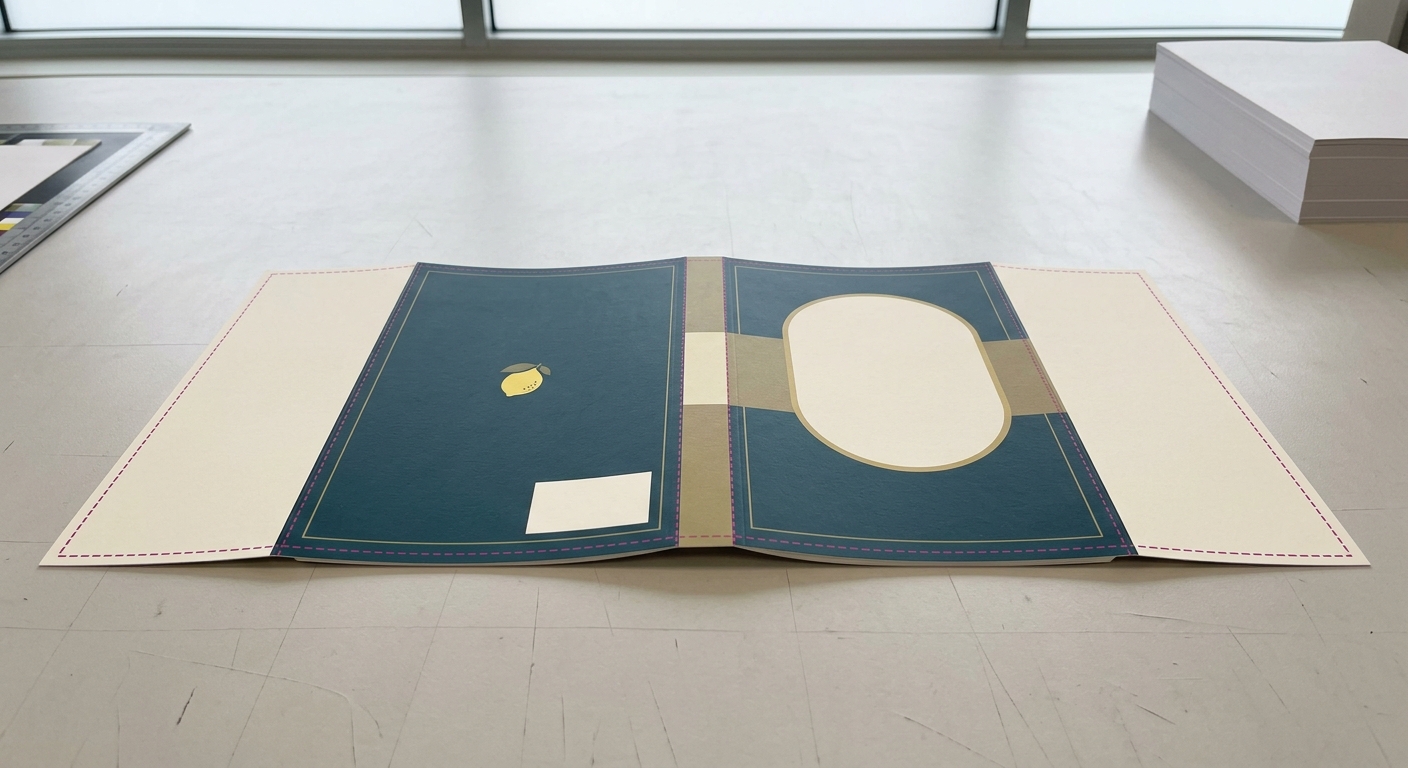
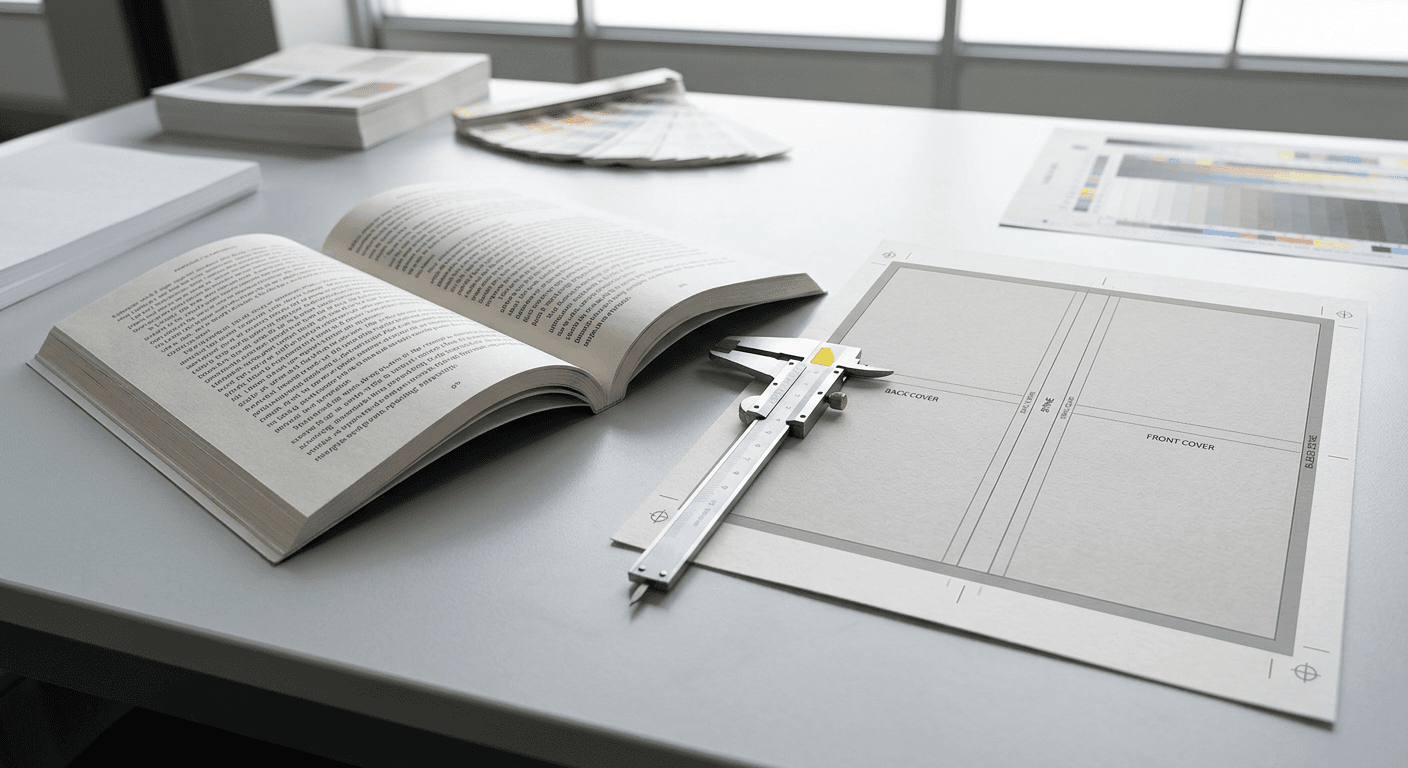
Once the printer confirms spine width, build the cover as one production spread or from the supplied template, not as unrelated front and back artwork. For a flat paperback without flaps, the trimmed spread width is back-cover width + spine width + front-cover width.
- Place the back cover at the printer’s indicated starting edge.
- Place the confirmed spine panel next to the back cover.
- Place the front cover next to the spine, observing the printer’s reading and file-order instructions.
- Extend backgrounds and images through the required bleed at the outside edges and trim boundaries identified in the template.
If W is the trimmed width of one cover, S is the spine, H is the trimmed height, and B is the required bleed, a simple no-flap file is approximately 2W + S + 2B wide and H + 2B high. A flapped cover adds the two flap widths. A hardcover case or dust jacket should use the printer’s separate dieline.
Before exporting, review Lemon Printing’s commercial printing artwork checklist for PDF, bleed, fonts, image, and preflight requirements.
Add trim, bleed, hinge, and safe-area requirements
The printer’s book cover template should define every production line that matters: trim, spine boundaries, hinge or fold positions, glue zones, bleed, and safe areas. Treat these lines as manufacturing instructions, not as artwork that will appear in the finished book.
- Trim
- The final cut edge of the cover.
- Bleed
- Artwork that extends beyond the trim so a small cutting variation does not expose an unprinted edge. Three millimetres or 0.125 inch is common in many workflows, but the printer’s requirement controls.
- Safe area
- A clearance inside trim, folds, and glue zones where important text, logos, and barcodes are less exposed to production movement.
- Hinge or glue area
- A construction zone where the cover bends or attaches to the text block. Keep critical design elements away from it unless the template says otherwise.
Spine text should be centered within the confirmed spine panel and kept clear of its edges. On a narrow spine, ask whether text is advisable before finalizing the design.
Approve a proof and inspect spine alignment before mass production
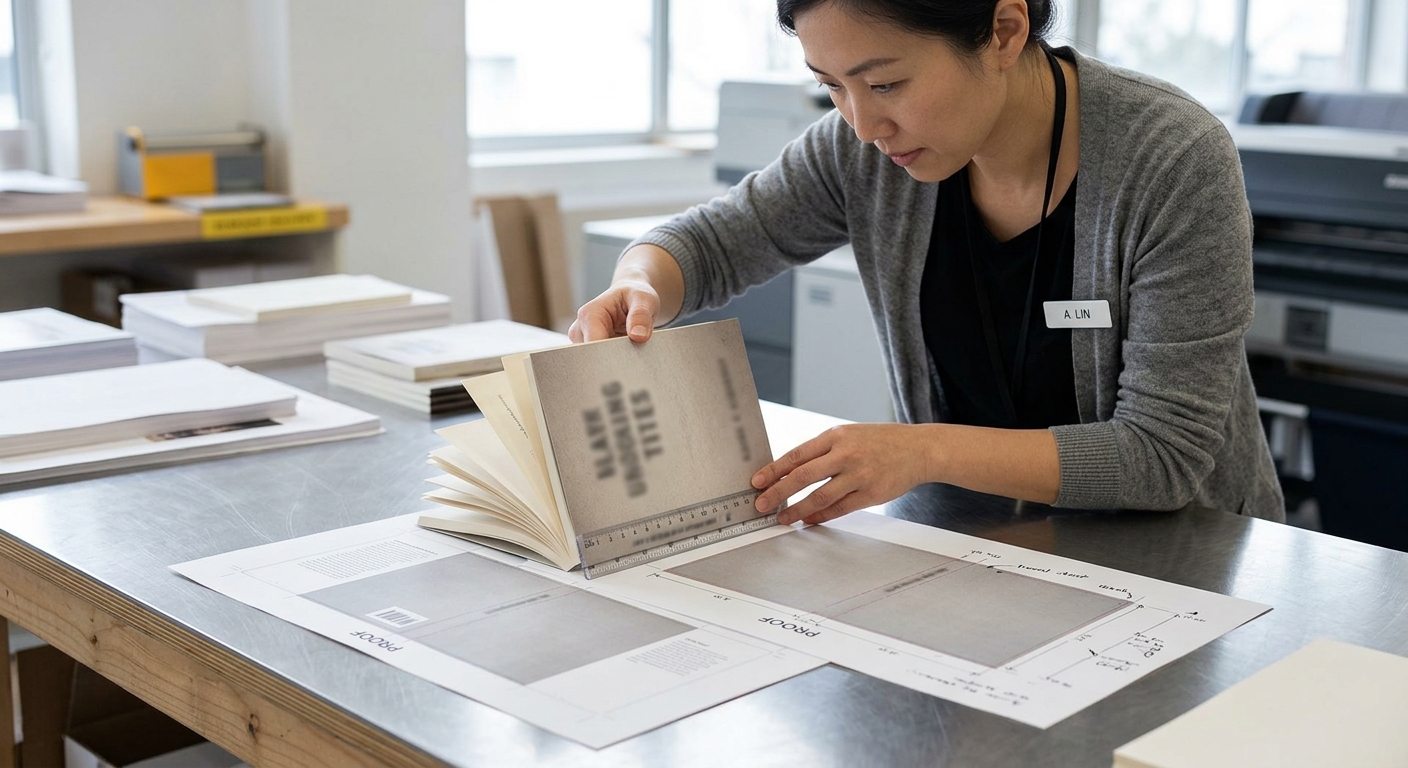
Approve the spine only after the final pagination, paper, binding method, and cover template are fixed. A PDF proof confirms layout, while a physical proof or construction dummy gives a better check of the folded, wrapped, or bound result.
- Confirm the page count in the proof matches the quotation and spine calculation.
- Check that the cover spread dimensions and panel order match the printer’s template.
- Inspect the spine title for centering, orientation, legibility, and clearance from folds or glue areas.
- Review the transition between back cover, spine, and front cover, especially for rules, photographs, or continuous patterns.
- Check barcode placement, trim, bleed, color, lamination or coating, and visible cover skew on the physical sample when available.
Ask the printer to identify the expected binding and registration tolerances for the selected construction. If the page count or stock changes after approval, request a revised spine measurement and cover proof.
Use Lemon Printing's custom book printing review for production confirmation
Lemon Printing can review the spine calculation as part of a broader book production discussion, where the paper, binding, cover construction, finishing, and file format are considered together. The company is a factory-backed commercial printing manufacturer established in 2015 in China’s Guangzhou–Shenzhen manufacturing corridor.
Lemon Printing operates a self-owned facility with more than 130 skilled workers and 8+ offset and digital presses. Prepress, printing, binding, finishing, quality inspection, packing, and export preparation are handled in-house for customers in more than 30 countries.
For a useful production review, send the final page count, trim size, paper or caliper, binding method, cover construction, finishing, quantity, and destination. Lemon Printing’s bulk book printing guide provides additional planning context for binding, proofing, quality checks, packing, and shipping. Final MOQ, production time, pricing, and shipping depend on product specifications, quantity, finishing, and destination.
Quote-ready file and specification checklist
A quote-ready request should turn the spine calculation into a complete manufacturing brief. Include the following information so the printer can compare the file with the intended construction:
- Product type and finished trim size.
- Final interior page count, including any blank pages, plus an explanation of how endpapers are handled.
- Text paper name, finish, GSM, and paper caliper if known.
- Binding method and cover construction, such as perfect-bound softcover, sewn hardcover, or dust jacket.
- Cover stock, lamination, coating, foil, embossing, flaps, or other finishing.
- Color requirements for the interior and cover.
- Spine title, barcode, and any design elements that cross the spine.
- Cover spread or separate cover files, interior PDF, bleed, fonts, and linked image details.
- Quantity, packing needs, delivery destination, and target date.
When comparing offers, keep specifications identical. Lemon Printing’s printing cost breakdown explains why quantity, paper, binding, finishing, proofing, packing, freight, and destination can change a quote.
FAQ: Calculating book spine width
The questions below address common mistakes when preparing a book cover spine for commercial production.
FAQ
Do I divide page count by two when calculating spine width?
Yes, when the paper caliper is the thickness of one sheet. Interior page count represents printed sides, so 200 pages normally equal 100 sheets. Multiply those sheets by the confirmed caliper, then apply any printer-supplied binding allowance.
Can I calculate book spine width from GSM alone?
No. GSM measures paper weight, while caliper measures thickness. Two papers with the same GSM can have different bulk. Use the printer’s named stock and caliper or request the printer’s approved spine value.
What is the formula for perfect binding spine width?
A preliminary formula is interior pages divided by two, multiplied by paper caliper, plus any printer-confirmed allowance for adhesive, compression, or construction. The allowance is not universal, so a generic calculator should not be used to release final artwork.
How do I calculate hardcover spine width?
Estimate the finished text-block thickness, then use the printer’s casebound construction data or hardcover template. Boards, hinges, endpapers, lining, rounding, and cover material can affect the case dimensions, so a paperback formula is not sufficient.
What happens if the final page count changes?
Recalculate the spine and rebuild or revise the cover spread. A pagination change can affect spine text, barcode position, cover width, and the printer’s binding template.
How much bleed should a book cover have?
Follow the printer’s template and written specifications. Three millimetres or 0.125 inch is common in many workflows, but bleed, safe-area, hinge, and glue-zone requirements vary by product and production method.
Send the final specifications for a spine-width review
Request a book printing review from Lemon Printing with your product type, quantity, finished size, final page count, paper or caliper, binding and finishing requirements, delivery destination, and target date. Include the cover file or book cover template if available so the production team can assess the complete specification.